
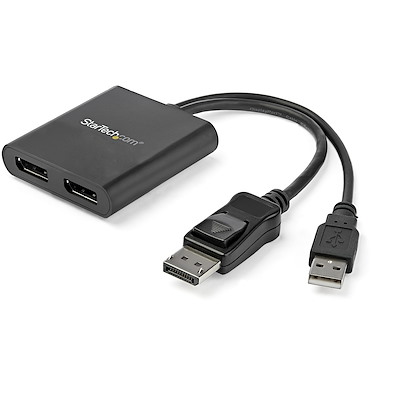
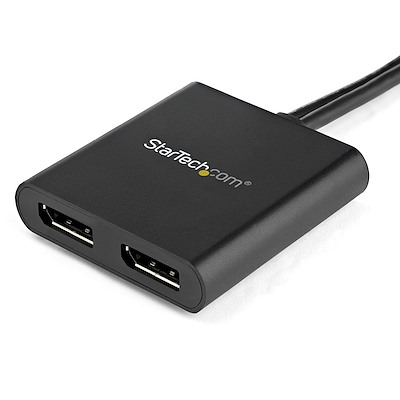
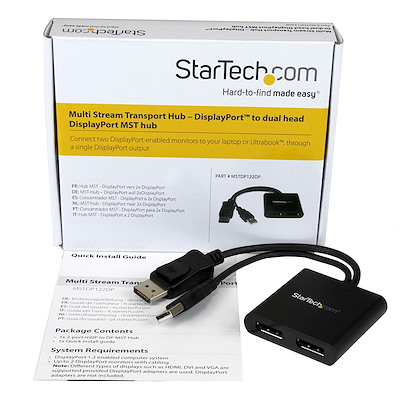

Dual-Monitor DisplayPort 1.2 Splitter, DisplayPort to 2x DP Multi-Monitor Adapter, Dual 4K 30Hz or 1080p 60Hz Computer MST Hub, USB Bus-Powered – Windows Only
2 in stock
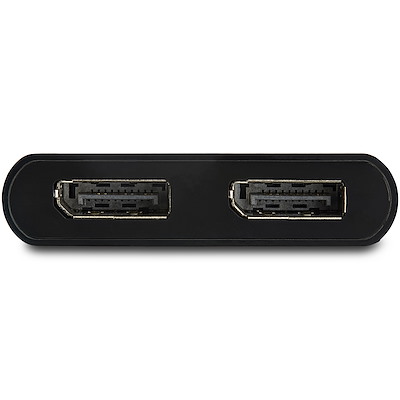
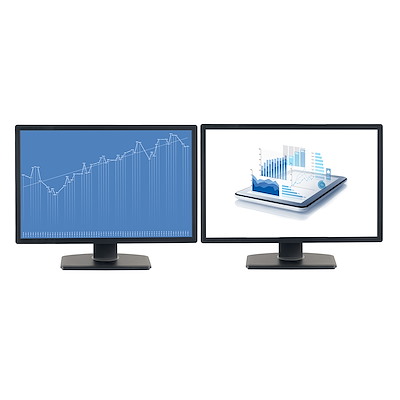
- MULTI-MONITOR CONFIGURATION: Dual-Monitor DisplayPort 1.2 MST Hub drives up to 2x 4K 30Hz (UHD) or 2x 1080p 60Hz DisplayPort monitors using a DP video port on a Windows desktop PC or laptop; Not compatible with macOS
- NO DRIVERS OR SOFTWARE: Increase productivity by adding two extended or mirrored displays to a Windows computer; Utilize integrated or discrete GPU (Intel/AMD/Nvidia) capabilities enabling high performance graphics with minimal CPU usage
- HARDWARE COMPATIBILITY: Host system must support DP 1.2 / HBR2 / MST; Please verify maximum number of displays supported by your GPU; Some GPU chips (such as Intel HD Graphics) are only capable of supporting a maximum of three displays
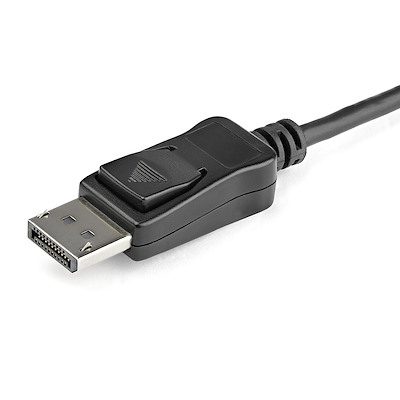
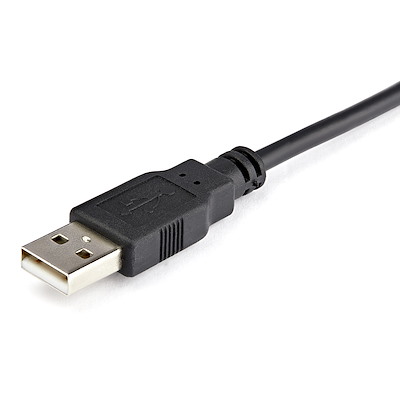
- EASY TO USE: Extend your desktop at your workstation in the office/home office; Built-In 9.8″ (25cm) USB-A cable for power (USB bus-powered); Latching DisplayPort connector ensures a reliable connection and prevents accidental disconnection
- OUR ADVANTAGE: Included connectivity tools for IT Pro’s and IT help-desk support teams with Windows Layout Utility which restores windows app locations when re-connecting the Dual DisplayPort Multi-Monitor Adapter
$59.48
2 in stock
CompareIncrease productivity with multiple screens
The newest generations of computers are more portable than ever, which often means that you’re left with fewer video outputs and smaller integrated screens. This MST hub solves both of these problems by letting you connect two additional displays to your computer, which makes multitasking much easier.
Connect to any display
With the MST hub, you can use DisplayPort video adapters and cable adapters that enable you to connect HDMI, VGA or DVI displays. This ensures your MST hub will be compatible with virtually any television, monitor or projector. The hub is VESA and DisplayPort certified to support DP 1.2 enabled systems, for seamless integration with your existing video equipment.
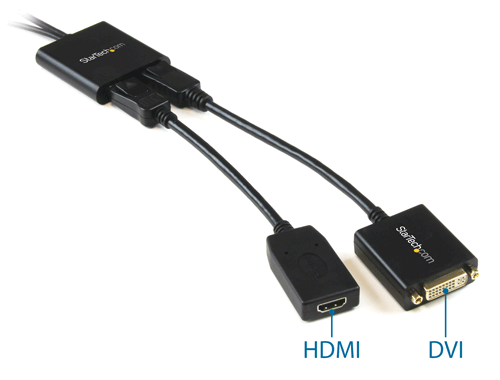
Configure your displays for any environment
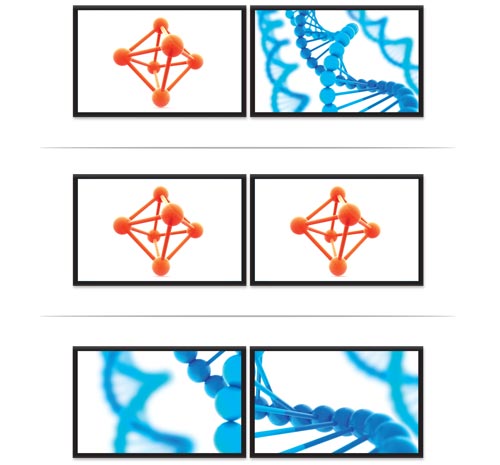
Using the MST hub, you can extend your desktop onto additional monitors and stream independent content to each display, giving you the freedom to multitask and increase your productivity. You can also mirror the same image onto multiple displays for remote viewing applications such as digital signage.
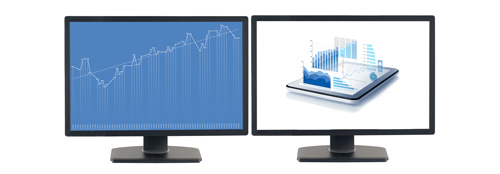
Enjoy amazing video quality, without draining system resources
MST technology uses your existing video card to minimize the use of system resources while delivering Ultra HD 4K resolutions. This unprecedented performance makes MST perfect for high-resolution applications such as graphic design, gaming and medical imaging.
Note: When using a DisplayPort 1.1 video card the MST hub will act as a splitter, automatically mirroring your video source across all displays. Resolution limitations apply.
The MSTDP122DP supports plug-and-play installation for a hassle-free setup, and is backed by a StarTech.com 3-year warranty and free lifetime technical support.
Average resolution bandwidth allocation
1920×1080 (High-definition 1080p) @60hz – 22%
1920×1200 @60hz – 30%
2560×1440 @60hz – 35%
2560×1600 @60hz – 38%
3840 x 2160 (Ultra HD 4K) @30hz – 38%
Note: Exceeding 100% will reduce functionality.
Applications
- Use one screen for reference data such as websites, while composing in another screen
- Dock your DP 1.2 device and add two high-resolution displays to your workstation
- Create a panoramic video wall for DisplayPort digital signage applications
- Edit images, video or audio clips across two additional displays in any orientation or resolution
- Perfect for spanning a spreadsheet or worksheet across two additional displays, to avoid side-scrolling
Specifications
1280×720 (High-definition 720p)
1920×1080 (High-definition 1080p)
1920×1200
2560×1440
2560×1600
3840 x 2160 (Ultra HD 4K) @30hz
Windows 10 (32/64)
Windows 8/8.1 (32/64)
Windows 7(32/64)
Based on 0 reviews
Be the first to review “Dual-Monitor DisplayPort 1.2 Splitter, DisplayPort to 2x DP Multi-Monitor Adapter, Dual 4K 30Hz or 1080p 60Hz Computer MST Hub, USB Bus-Powered – Windows Only”
Related products
-
Display & Video Adapters, DisplayPort & Mini DisplayPort Adapters
3ft (1m) DisplayPort to HDMI Cable – 4K 30Hz – DisplayPort to HDMI Adapter Cable – DP 1.2 to HDMI Monitor Cable Converter – Latching DP Connector – Passive DP to HDMI Cord
 Display & Video Adapters, DisplayPort & Mini DisplayPort Adapters
3ft (1m) DisplayPort to HDMI Cable – 4K 30Hz – DisplayPort to HDMI Adapter Cable – DP 1.2 to HDMI Monitor Cable Converter – Latching DP Connector – Passive DP to HDMI Cord
- PERFORMANCE: 3.3ft (1m) DisplayPort 1.2 to HDMI 1.4 adapter cable connects a DP desktop/laptop to an HDMI monitor, projector or TV | Supports UHD 4K 30Hz (3840×2160) and 1080p video, 7.1ch Audio, HDCP 1.4 & DPCP
- HOST COMPATIBILITY: DisplayPort to HDMI cable is tested for compatibility with DP++ source; Passive converter cable supports DP++ source connector incl workstations, desktops (AMD/Nvidia video card), laptops, small form factor computers & docking stations
- INTEGRATED DISPLAY CABLE: DisplayPort to HDMI adapter cable has flexible design w/ adapter chip built into HDMI connector reducing clutter & providing a tidy install in the office or home office; 3.3′ (1m) cable length for easy routing and install
- LATCHING DISPLAYPORT CONNECTOR: DP to HDMI cable features a latching DP connector to prevent accidental disconnection from the host DP port; With chipset built into HDMI connector it minimizes signal loss, providing a crystal clear image
- EASY TO USE: With no software or drivers required, the DisplayPort to HDMI cord is OS independent; DP male to HDMI male cable
SKU: DP2HDMM1MB -
Display & Video Adapters, DisplayPort & Mini DisplayPort Adapters
DisplayPort to DVI Converter Cable – 3ft – 1920×1200
 Display & Video Adapters, DisplayPort & Mini DisplayPort Adapters
DisplayPort to DVI Converter Cable – 3ft – 1920×1200
- Reduce clutter with a compact 3ft adapter cable
- Avoid upgrades by keeping your DVI display
- Avoid the hassle of converters that require additional cabling and power adapters with a plug-and-play cable adapter
- Supports PC resolutions up to 1920×1200 and HDTV resolutions up to 1080p
- Easy to use cable, no software required
SKU: DP2DVI2MM3 -
Display & Video Adapters, DisplayPort & Mini DisplayPort Adapters
Travel A/V Adapter: 2-in-1 DisplayPort to HDMI or VGA
 Display & Video Adapters, DisplayPort & Mini DisplayPort Adapters
Travel A/V Adapter: 2-in-1 DisplayPort to HDMI or VGA
- 2-in-1 adapter lets you connect your DP computer to any HDMI or VGA display with a single adapter
- Maximize portability with a compact, lightweight adapter that you can easily carry in your laptop bag
- Supports video resolutions up to 1920×1200 or 1080p
- Plug-and-play installation
- No power adapter required
SKU: DP2HDVGA -
Display & Video Adapter, Display & Video Adapters, DisplayPort & Mini DisplayPort Adapters
DisplayPort to HDMI Adapter – 4K 60Hz HDR10 Active DisplayPort 1.4 to HDMI 2.0b Video Converter – 4K DP to HDMI Adapter Dongle for Monitor/Display/TV – Latching DP Connector
 Display & Video Adapter, Display & Video Adapters, DisplayPort & Mini DisplayPort Adapters
DisplayPort to HDMI Adapter – 4K 60Hz HDR10 Active DisplayPort 1.4 to HDMI 2.0b Video Converter – 4K DP to HDMI Adapter Dongle for Monitor/Display/TV – Latching DP Connector
- PERFORMANCE: DisplayPort 1.4 to HDMI 2.0b adapter with HDR10 supports UHD 4K 60Hz (3840×2160), 18Gbps bandwidth supports YCbCr 4:4:4 8-bit chroma subsampling, 7.1ch Audio, HDCP 2.2, DPCP | 4.8″ (12cm) attached cable | Backwards compatible w/ 1080p
- CONTENT CREATION: HDR10 produces lifelike images with a higher contrast-ratio on HDMI 2.0b displays, making it ideal for creative professionals | Use the adapter to connect an HDMI monitor, TV or projector, or add a secondary display to your workstation
- HOST COMPATIBILITY: Active DisplayPort to HDMI adapter supports DP/DP++ source including workstations, desktops (AMD Radeon Pro Workstation Graphics, Nvidia RTX/Quadro), small form factor computers & docking stations | Tested w/ HDMI cables up to 23′
- LATCHING DISPLAYPORT CONNECTOR: DP to HDMI adapter dongle with a latching DP connector to ensure solid host connection | Features Electromagnetic Interference (EMI) shielding to protect from line noise/distortion
- EASY TO USE: With no software or drivers required, the DisplayPort to HDMI video converter works with any OS including Windows, Ubuntu and macOS; DP Male to HDMI Female
SKU: DP2HD4K60H -
Display & Video Adapters, DisplayPort & Mini DisplayPort Adapters
Mini DisplayPort to HDMI Converter Cable – 3 ft (1m) – 4K – White
 Display & Video Adapters, DisplayPort & Mini DisplayPort Adapters
Mini DisplayPort to HDMI Converter Cable – 3 ft (1m) – 4K – White
- Astonishing video quality with support for video resolutions up to 4K at 30 Hz
- Reduce clutter with a compact 3ft adapter cable
- Avoid the hassle of converters that require additional cabling and power adapters, with a plug-and-play cable adapter
- Supports HDMI 4K at 30 Hz
- Plug-and-play installation
- No power adapter required
SKU: MDP2HDMM1MW
There are no reviews yet.